 SageAndSheets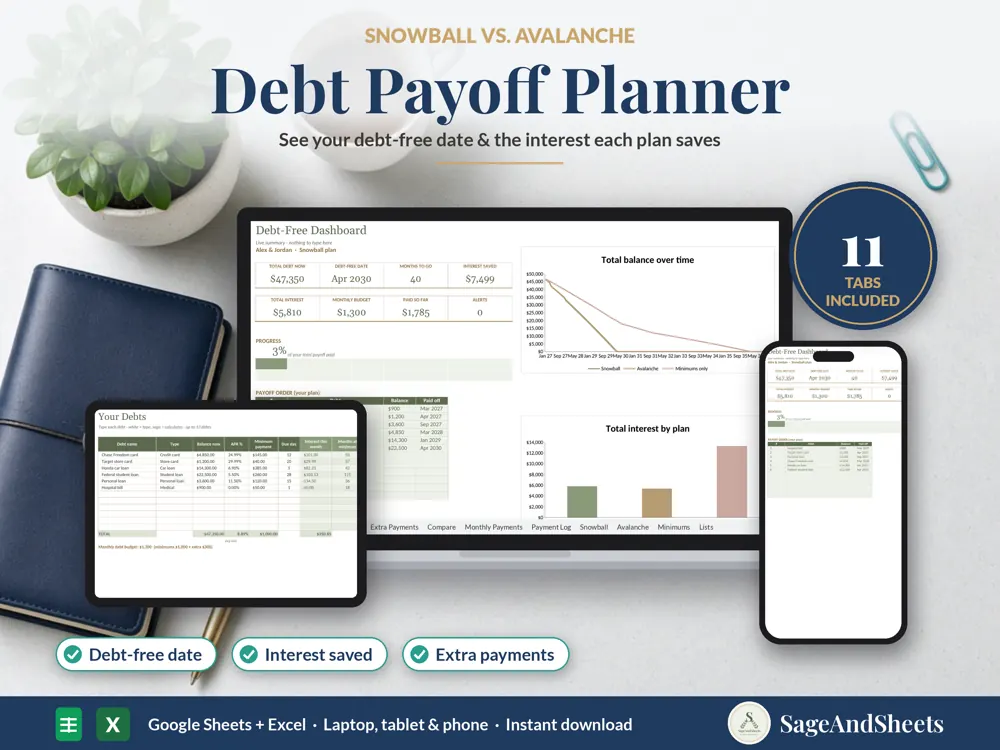
This debt payoff planner does the real math: month-by-month amortization for up to 12 debts, snowball and avalanche compared, your debt-free date, the interest you'll save, and exactly what to pay each debt every month.
Who this debt payoff planner spreadsheet is for
Made for anyone paying down credit cards, car loans or student loans who wants a clear debt-free date and a plan for every extra dollar.
What's included
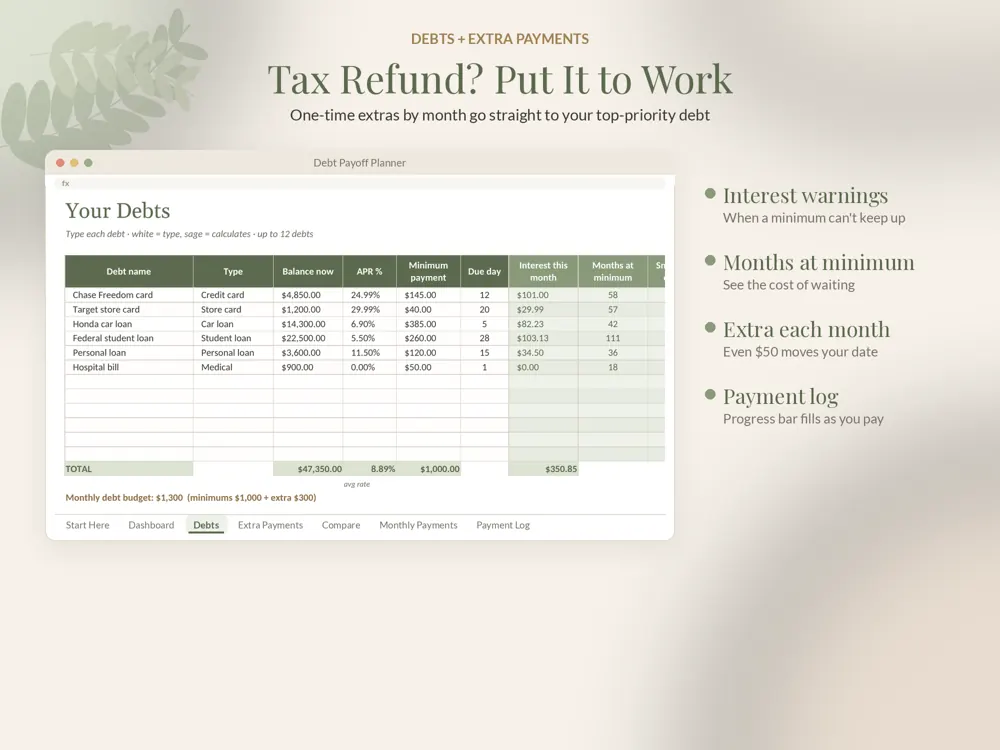
- Debt payoff planner (.xlsx), example with 6 debts ($47,350), $300 a month extra and a tax refund
- Blank version (.xlsx): 12 debts, 60 one-time extra payments, 500 payment-log rows
- Step-by-step PDF guide for Google Sheets and Excel
Features
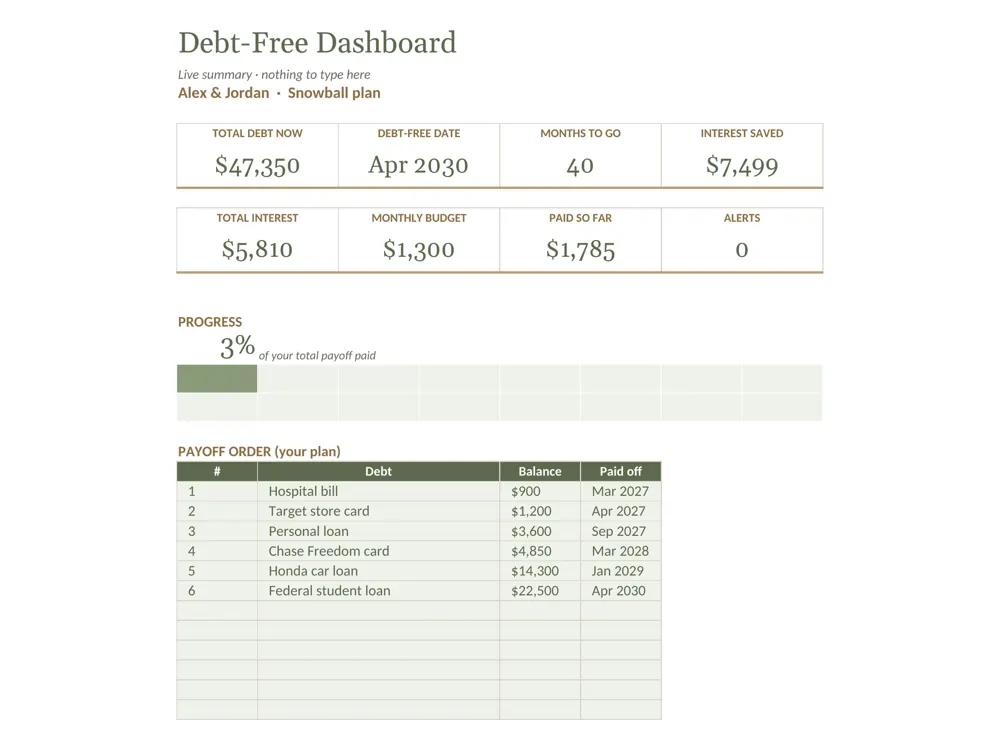
- Dashboard: total debt, debt-free date, months to go, total interest, interest saved, monthly budget, paid so far and a progress bar
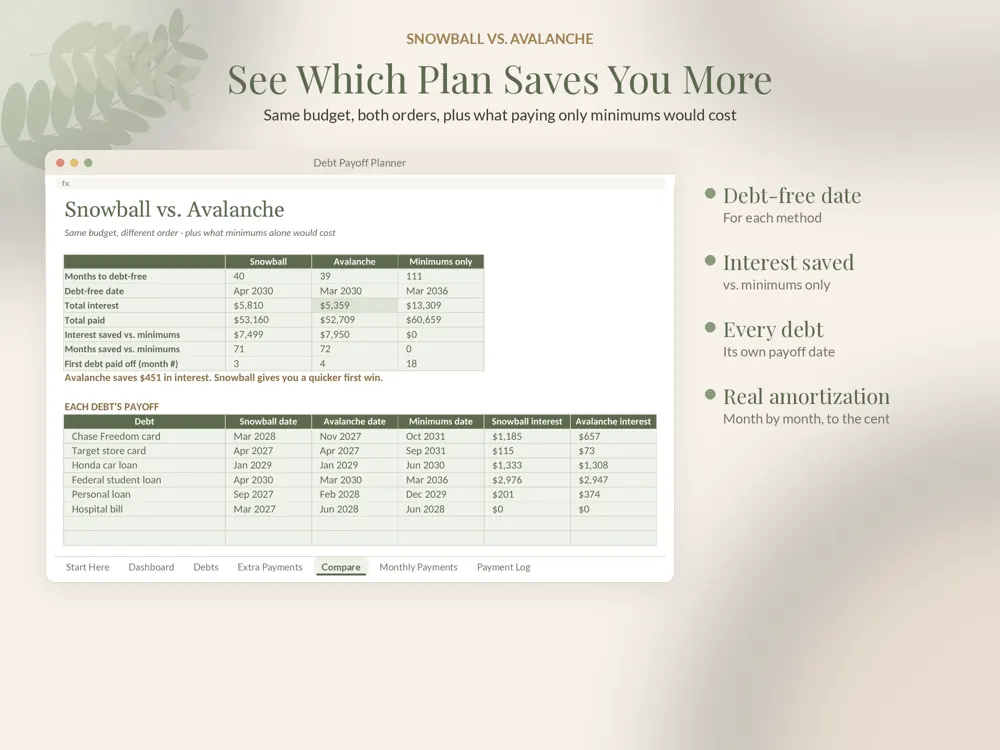
- Snowball (smallest balance first) and avalanche (highest rate first) run side by side on the same budget
- Minimums-only baseline, so you see the interest and months your plan saves
- Real amortization: interest at APR ÷ 12 each month, rounded to the cent. A $10,000 loan at 6% over 60 months shows $1,599.68 interest, the same as standard loan calculators
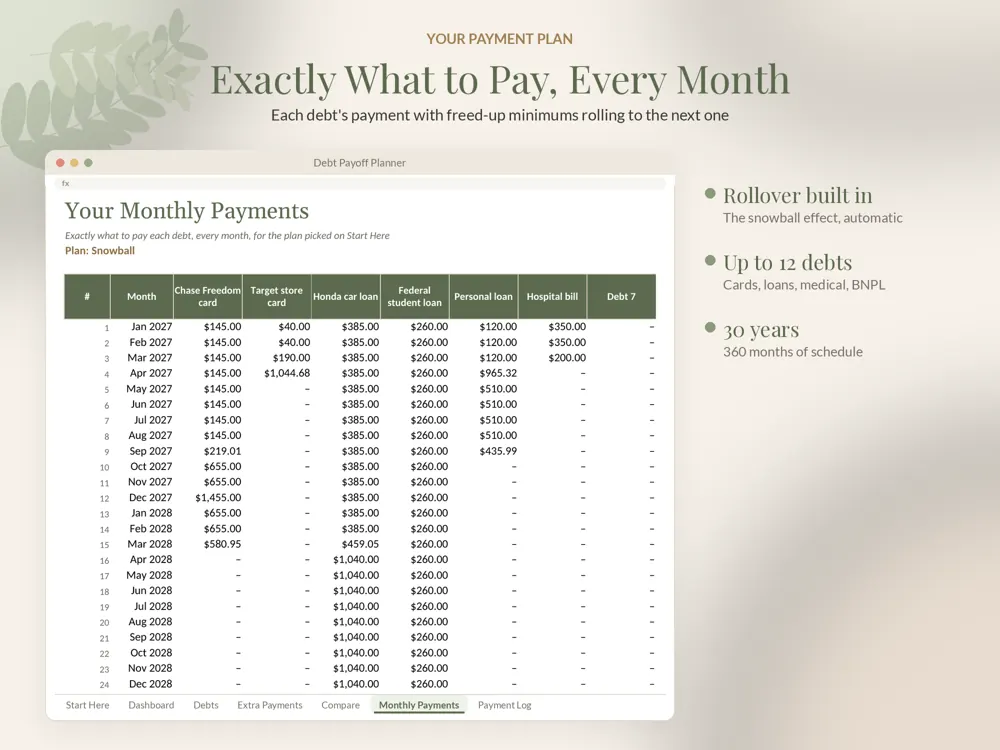
- Freed-up minimums roll to the next debt automatically (the snowball effect)
- One-time extra payments by month (tax refund, bonus) go to your top-priority debt
- Monthly Payments: your exact payment for every debt, every month, for up to 30 years
- Each debt's payoff date under each method, and warnings when a minimum doesn't cover interest
Why it's different
Real month-by-month math, not a coloring chart Both methods plus minimums compared in dollars and months Plans for windfalls, not just a fixed extra Google Sheets AND Excel, example and blank versions, no macros
How to use it
- Buy once right here (or on Etsy) and download the files instantly.
- Open the example version first to see the template filled in, then use the blank version for your own details.
- Upload the .xlsx to Google Drive and open it with Google Sheets, or open it directly in Excel.
- Follow the PDF guide; formulas update totals, dashboards and alerts as you type.
Frequently asked questions
Snowball or avalanche?
Both. The planner compares the two methods side by side so you can pick the one that fits, and shows the interest each one saves.
Is this financial advice?
No. It's a planning tool that does the math for the numbers you enter.
Does it work in Google Sheets and Excel?
Yes. Every spreadsheet opens in Google Sheets (free) and Microsoft Excel. A step-by-step PDF guide is included.
Is anything shipped?
No. It's an instant digital download, available right after purchase.