 SageAndSheets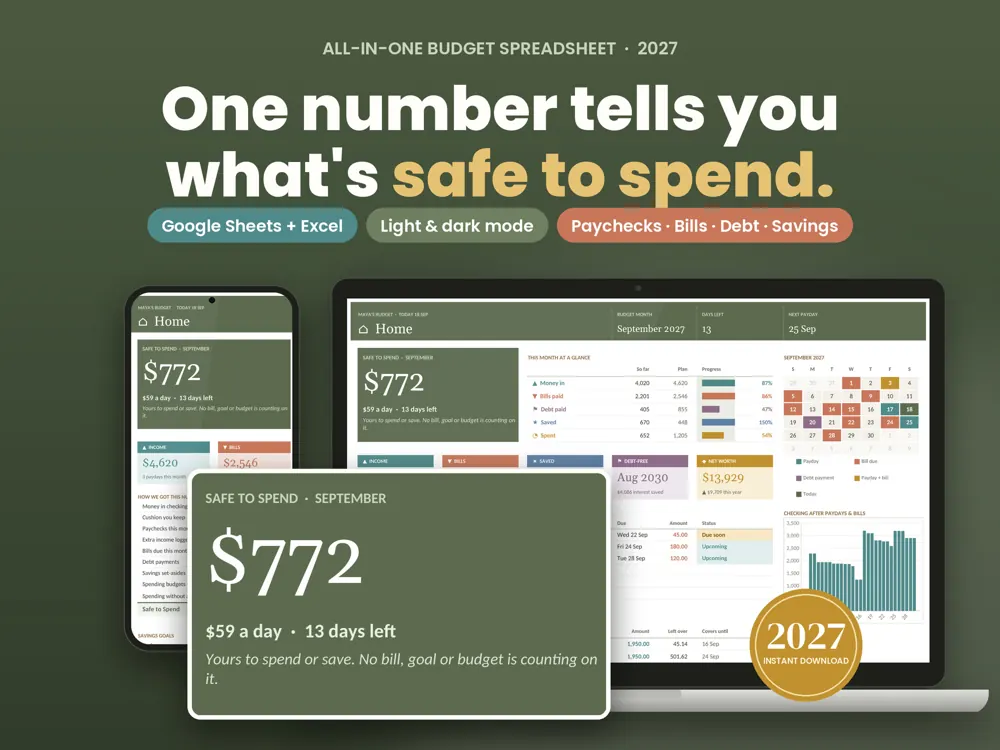
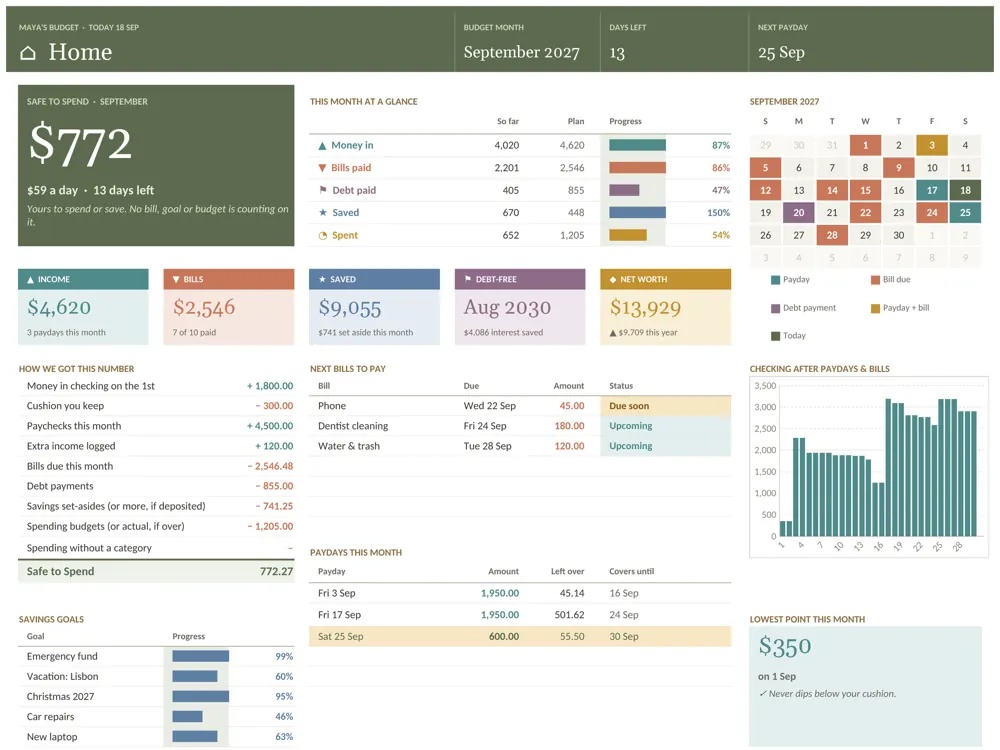
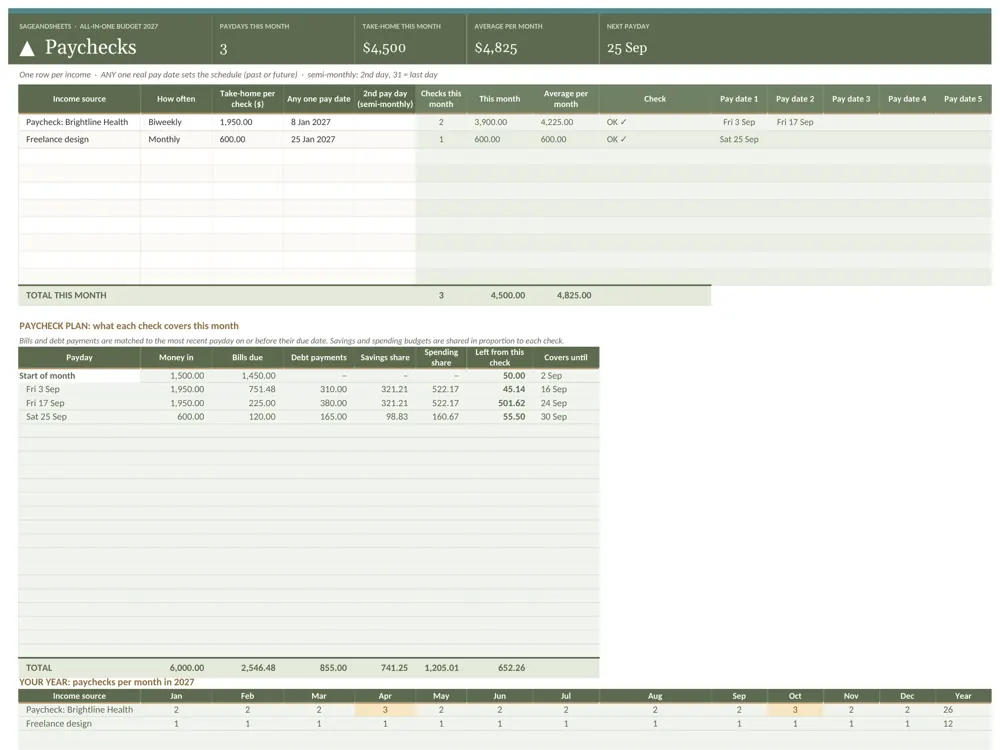
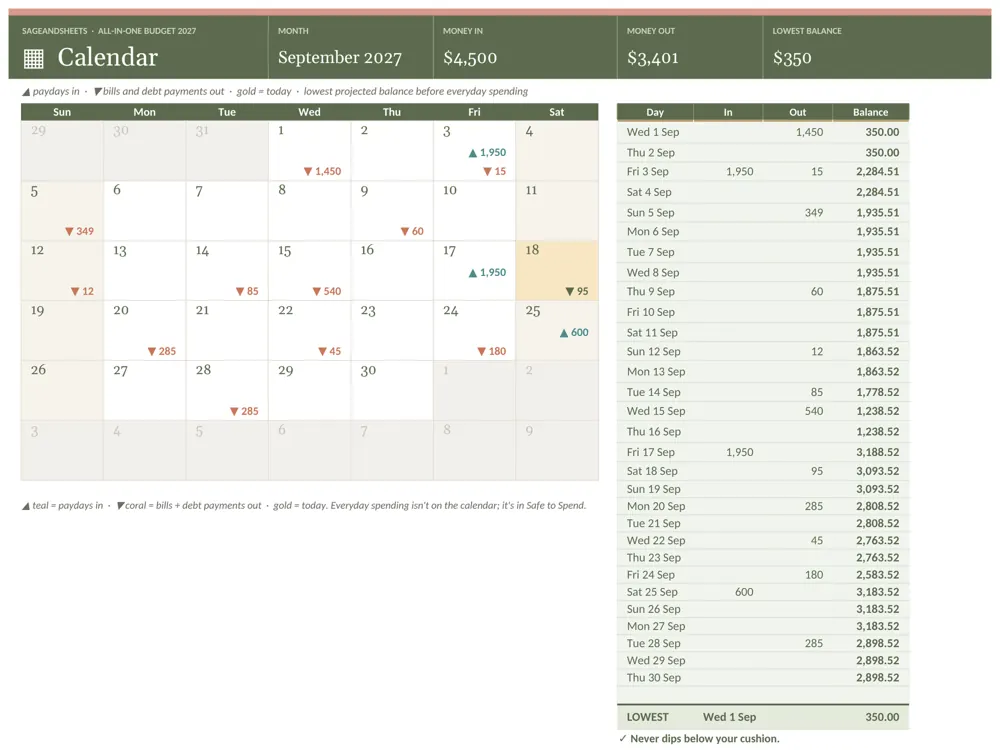
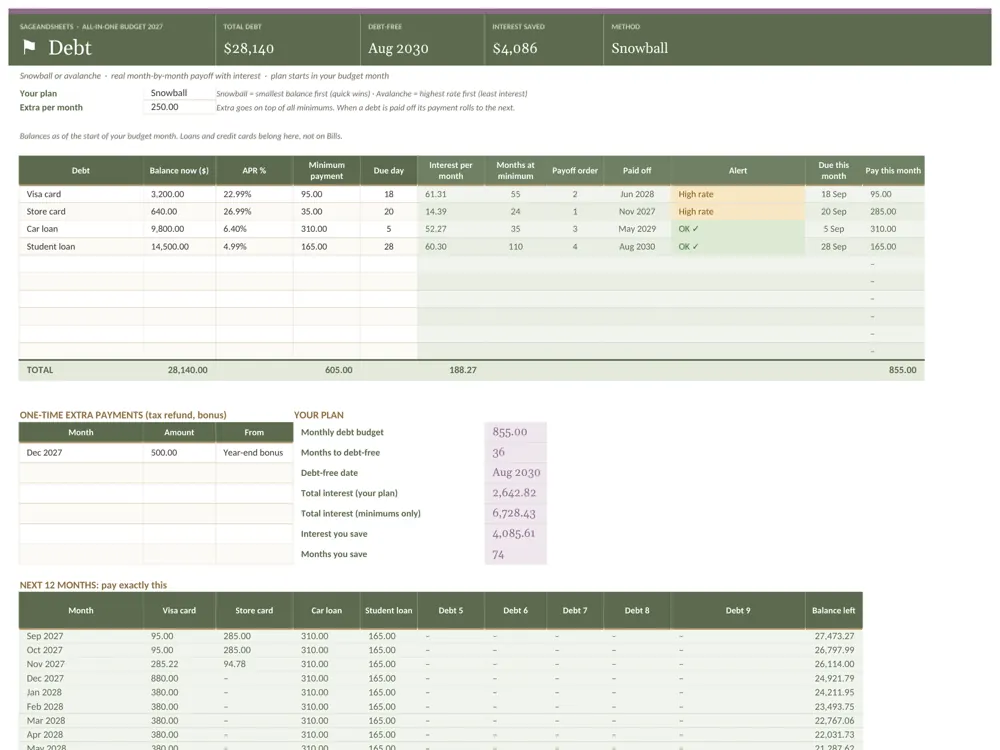
One number tells you what's safe to spend this month. Type in your paychecks, bills and goals, and this budget spreadsheet works out the rest: your bill calendar, your debt-free date, your savings progress and a full 2027 year in review.
Who this all-in-one budget spreadsheet 2027 is for
Made for anyone who wants one file for the whole money picture: what's safe to spend this month, which paycheck covers which bills, a debt-free date and savings goals that stay on track.
What's included
- All-in-One Budget 2027, blank (.xlsx): your file, ready to fill in
- Filled-in example (.xlsx) so you can see every tab working before you start
- Start Here PDF with your one-click Google Sheets copy link and Excel steps
- Eleven working tabs plus a Lists tab: Start Here, Home, Paychecks, Bills, Calendar, Spending, Transactions, Savings, Debt, Net Worth, Year in Review
Features
- Home: Safe to Spend, per-day amount left, and a plain-English "How we got this number" breakdown
- Plan vs actual for money in, bills, debt, savings and spending
- Paychecks: up to 10 income sources, weekly, biweekly, semi-monthly or monthly. See every payday this month and which bills each paycheck covers
- Bills: up to 60 bills (monthly, every 2 months, quarterly, twice a year, yearly or one-time), with autopay and paid / due soon / overdue status
- Calendar: paydays and bills on a month grid, a day-by-day checking balance and your lowest point of the month
- Spending: up to 40 categories with budget, spent, left and status
- Transactions: 2,000-row log with category dropdowns
- Savings: up to 25 sinking funds and goals with a monthly set-aside and progress bars
Why it's different
Deep but not overwhelming: one month dropdown drives everything, so there are no 12 copies of the same tab. Five-step setup on the Start Here tab with live checkmarks. Tested before release: 1,080 automated checks across 16 scenarios (every pay schedule, leap years, blank rows, a debt that never pays off, 2,000 transactions) with 0 formula errors. Google Sheets and Excel from the same file, no macros.
How to use it
- Buy once right here (or on Etsy) and download the files instantly.
- Open the example version first to see the template filled in, then use the blank version for your own details.
- Google Sheets: click the copy link in the Start Here PDF and choose Make a copy. Excel: open the blank .xlsx directly.
- Follow the 5 setup steps on the Start Here tab; formulas update totals, dashboards and alerts as you type.
Frequently asked questions
Is it hard to set up?
No. The Start Here tab walks you through 5 short steps (settings, paychecks, bills, spending, then optional goals and debts), with a checkmark as each one is done.
Does it work for biweekly or irregular paychecks?
It handles weekly, biweekly, semi-monthly and monthly pay for up to 10 income sources. For irregular income, add each payment as Extra income on Transactions.
Can I use it after 2027?
Yes. Change the Budget year on Start Here and everything rolls over.
Does it work in Google Sheets and Excel?
Yes. Every spreadsheet opens in Google Sheets (free) and Microsoft Excel. A step-by-step PDF guide is included.
Is anything shipped?
No. It's an instant digital download, available right after purchase.